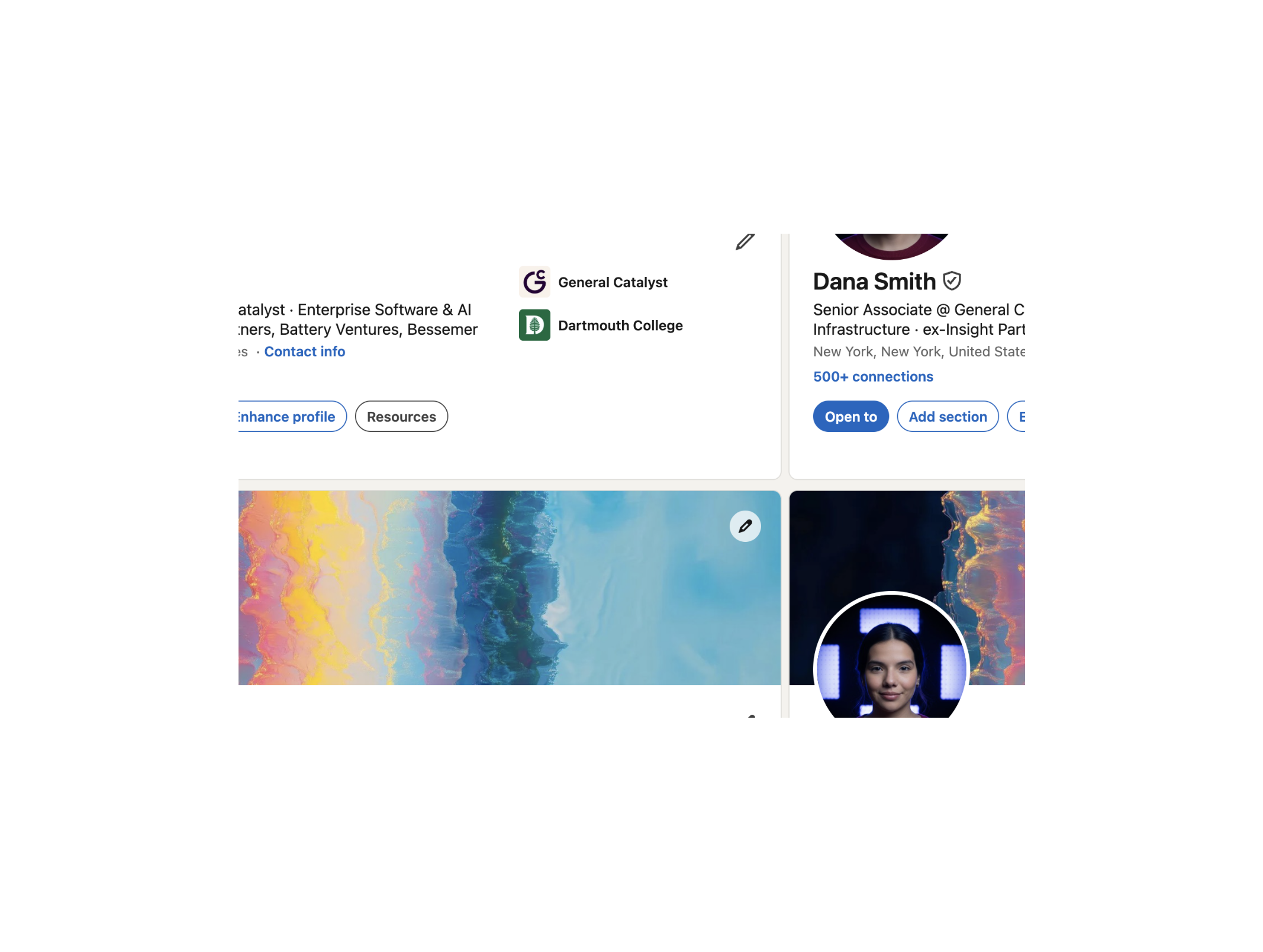
What Does "Buy a LinkedIn Account" Actually Mean?
When you buy a LinkedIn account, you are purchasing full login access to a real, human-created LinkedIn profile. This includes the email address associated with the account, the password, and all recovery credentials. From the moment of delivery, the account is entirely yours — the seller retains zero access.
This is not a subscription, a rental, or a shared credential. It is a complete ownership transfer. You change the recovery email to yours, update the password, and from that point forward you have full, exclusive control over the account — exactly as you would with any account you created yourself.
The key variable that separates a good account from a bad one is how it was originally created. The vast majority of accounts sold online were created using fake or semi-automated methods — they have no real identity behind them, and LinkedIn's systems can detect this. The accounts that actually survive long-term outreach campaigns and automation are the ones that were created by real people using real government IDs: ID-verified accounts.
Why Professionals Buy LinkedIn Accounts in 2026
The question isn't whether buying LinkedIn accounts is a real practice — it clearly is, used by thousands of agencies, sales teams, and entrepreneurs globally. The question is why, and whether the reasons are legitimate enough to justify it for your specific situation.
Here are the most common reasons professionals buy LinkedIn accounts, and why each one makes sense:
1. Skipping the cold-start penalty
LinkedIn treats new accounts with deep suspicion. A profile created today with zero connections and no activity history is algorithmically invisible — and any outreach it attempts will hit strict rate limits almost immediately. LinkedIn limits new accounts to as few as 20 connection requests per week in their first month. An aged account with 100+ connections and months of activity gets dramatically more latitude from day one.
2. Running automation safely
Tools like Expandi, Dripify, Waalaxy, LinkedHelper, and La Growth Machine are the backbone of modern B2B outreach. But they require accounts that can sustain the volume. Non-verified, freshly created accounts get flagged within days of automation being applied. ID-verified, aged accounts can run these tools at meaningful volume for months — which is the entire reason agencies buy them.
3. Protecting the main account
Any serious sales team or agency separates testing and high-volume outreach from the founder's or salesperson's primary LinkedIn profile. Getting a main profile restricted is catastrophic — years of connections, conversations, and reputation gone overnight. A purchased account serves as a firewall: you run campaigns through it, and your real profile stays clean.
4. Recovering from a restriction or ban
LinkedIn bans happen — sometimes fairly, sometimes not. If your primary account has been restricted and you need to get back to work immediately, a purchased account is the fastest path. A good ID-verified account with 500+ connections lets you resume outreach the same day, rather than spending six months rebuilding a new profile from zero.
5. Scaling across multiple market segments
Agencies with multiple clients, or founders targeting multiple buyer personas, need separate accounts to keep campaigns isolated and messaging on-brand per audience. This is not just a workaround — it is a legitimate operational need for any serious LinkedIn outreach program at scale.
6. Instant credibility for new ventures
A profile with 500+ connections, a fully built-out work history, and a verified badge signals legitimacy to every prospect who visits it. When you are launching a new product, entering a new market, or reaching out cold to senior decision-makers, starting from a credible-looking profile versus a blank one makes a measurable difference in acceptance and response rates.
ID-Verified vs. Non-Verified LinkedIn Accounts: The Difference That Changes Everything
Most guides on buying LinkedIn accounts gloss over this distinction or mention it briefly. It deserves real attention, because it is the single most important factor in whether a purchased account will work for you or fail within days.
LinkedIn introduced its ID verification system to combat the explosion of fake profiles and automated spam on the platform. When a user submits a valid government ID, LinkedIn's system confirms that a real, unique human being created and controls that account. The profile receives a verification badge, and — more importantly — it receives a permanently elevated trust score in LinkedIn's internal systems.
- No identity confirmation
- Low trust score from day one
- Flagged quickly under automation
- High restriction rate within weeks
- No protection against re-verification requests
- Often created with fake or bot-assisted methods
- Cheap — but rarely lasts more than a few weeks
- Government ID confirmed by LinkedIn
- Maximum platform trust score
- Survives automation tools at scale
- 0% permanent ban rate (1,211+ delivered)
- Passes re-verification because the original ID is real
- Created by a real human with real identity
- Higher cost — but lasts months to years
The practical consequence of this difference is stark. Agencies that buy non-verified accounts in bulk report losing 30–50% of them within the first month. Agencies that buy ID-verified accounts from a quality provider report the same accounts running cleanly for 6–12 months or more under consistent automation.
The cost difference between a non-verified and an ID-verified account is real — but so is the cost of an account that gets banned three weeks after purchase. When you factor in the time spent setting up automation sequences, importing lead lists, warming up the account, and integrating with your CRM, a $50 non-verified account that dies in three weeks costs far more than a $900 ID-verified account that runs for a year.
Types of LinkedIn Accounts You Can Buy — and Which One You Actually Need
Not all LinkedIn accounts sold on the market are equivalent. Here is an honest breakdown of what is available, what each type delivers, and who it is best suited for.
Aged accounts (100 connections)
These are profiles that are at least one month old, have been actively used, and have accumulated around 100 real connections. They are ID-verified and have a partial or fully built-out profile. This tier is ideal for testing outreach sequences, running side campaigns without risking your main account, or as a backup account if your primary profile gets restricted. The lower connection count means less immediate social proof, but the account is fully functional and resilient under automation.
Best for: Beginners, solo founders testing LinkedIn outreach, anyone who needs a clean backup account.
High-connection accounts (500+ connections)
These accounts display "500+" publicly — LinkedIn's threshold for appearing well-connected — and come with real connections accumulated over time. The social proof impact is immediate and significant: any prospect who visits the profile sees an established, credible presence. Combined with ID verification and warmup history, these accounts represent the strongest foundation available for high-volume outreach — used by agencies running sequences at 50–100+ connection requests per day.
Best for: Lead generation agencies, SDRs running high-volume campaigns, founders targeting senior decision-makers, anyone replacing a banned main account.
USA/EU location accounts
Profile location is a significant trust signal for North American and European prospects. A profile that appears to be based in San Francisco, London, or Berlin is more likely to get a connection request accepted from a US or European buyer than one based in an unfamiliar region. These accounts are created by people in those locations and have activity histories reflecting that geography. When paired with a matching residential proxy, they are indistinguishable from a genuine local profile.
Best for: Anyone targeting US or European B2B prospects, agencies running campaigns for US/EU clients.
Female vs. male profiles
This matters more than most buyers expect. Across multiple industries, female profiles consistently achieve higher connection acceptance rates than male profiles — particularly when doing cold outreach in male-dominated sectors like tech, finance, and sales. The reason is simple: they stand out and trigger less "sales alarm" response. If you are optimising for acceptance rate, a female-named profile in a relevant industry is a measurable advantage.
Best for: Anyone focused on maximising connection acceptance rates, particularly in B2B tech and finance sectors.
The Real Risks of Buying LinkedIn Accounts — and How to Avoid Every One of Them
There are real risks in buying LinkedIn accounts. But most of the scary warnings online conflate the risk profile of low-quality non-verified accounts with that of high-quality ID-verified ones. They are not the same thing. Here is a clear breakdown of each risk and how to sidestep it.
Risk 1: The account gets banned shortly after purchase
Why it happens: The account was not ID-verified, was created using bots, or has a flagged history the seller didn't disclose. LinkedIn detects the new behaviour pattern and triggers a review. The account fails re-verification because no real ID exists.
How to avoid it: Only buy ID-verified accounts from a provider with a documented ban rate. The only provider we've found that publicly states and maintains a 0% permanent ban rate across 1,211+ deliveries is buy-id-verified-account.com.
Risk 2: LinkedIn detects the new login location
Why it happens: You log in from a country or city very different from the account's original activity location. LinkedIn flags the login anomaly and may trigger a security check.
How to avoid it: Use a residential proxy matching the account's country of origin. Assign one proxy per account and use it consistently. Never share a proxy between multiple accounts.
Risk 3: The seller reclaims the account
Why it happens: The seller retained access to the recovery email and uses it to reset the password after payment. This is the most common scam in the account-buying market.
How to avoid it: The first thing you should do after receiving credentials is change the recovery email to one you own. Any reputable seller will explicitly instruct you to do this as your first step, because a legitimate provider wants the transfer to be final and clean.
Risk 4: Overly aggressive automation triggers a restriction
Why it happens: Even with an ID-verified, warmed-up account, immediately sending 100+ connection requests per day on day one will raise flags. LinkedIn monitors behaviour patterns, not just account credentials.
How to avoid it: Start at 20–30 connection requests per day for the first week. Increase gradually over 2–3 weeks. Keep some non-outreach activity on the account (liking posts, viewing profiles) to maintain a natural behavioural footprint.
Risk 5: Buying from an untrustworthy seller
Why it happens: The account-buying market has many bad actors — sellers who deliver banned accounts, fake credentials, or accounts that were already flagged before sale.
How to avoid it: Buy from a provider with a verifiable track record. Look for public delivery numbers, a stated ban rate, and a real support channel you can actually reach after purchase.
The only provider with a documented 0% ban rate
buy-id-verified-account.com exclusively sells ID-verified LinkedIn accounts — aged, warmed up, and delivered to your inbox in under 6 hours. 1,211+ accounts sold. 5/5 rating.
How to Buy a LinkedIn Account Safely: A Step-by-Step Process
Here is the exact process we recommend, based on what works reliably with a quality provider.
Define your use case before buying
Are you running high-volume automation? Targeting US prospects? Replacing a banned account? Or just testing LinkedIn outreach for the first time? Your use case determines which account type is right. Buying a 100-connection starter account when you need to run 80 connection requests per day will not work. Over-spec for your use case slightly — it is always better to have more account strength than you need.
Choose a provider with a documented track record
Look for: public delivery numbers, a verifiable ban rate, a real support channel, and customer feedback you can verify. Any provider that cannot answer "how many accounts have you delivered and what is your ban rate?" does not deserve your money.
Confirm ID verification before paying
Ask explicitly: "Is this account ID-verified by LinkedIn?" A reputable seller will confirm this immediately and without hesitation. If there is any ambiguity, do not proceed. This single question filters out 80% of low-quality providers in this market.
Pay via a secure method with buyer protection
Stripe card payments give you chargeback protection if a seller fails to deliver. Avoid paying via irreversible methods — wire transfers or crypto — unless you have established trust with the seller over multiple transactions.
Verify delivery within the promised window
A reliable provider delivers within their stated timeframe — typically under 6 hours. If you have not received credentials within the promised window, contact their support immediately. A good seller will resolve this within minutes of being contacted.
What to Do the Moment You Receive Your LinkedIn Account
The first 48 hours after receiving an account are the most critical. Here is the exact sequence of actions to take, in order.
- Log in immediately and change the recovery email to an address you own. This is non-negotiable. It locks out the previous owner and completes the transfer.
- Change the password to something strong and unique that you have not used elsewhere.
- Enable two-factor authentication on the new recovery email. This adds a second layer of security on your side.
- Connect via your assigned proxy from this first login. Do not log in from your real IP and then switch to a proxy later — the IP change will trigger a security check. Set up the proxy first, log in through it, and stay consistent.
- Do not make all profile changes at once. Change the profile photo on day one. Update the headline on day two. Update the bio and experience on days three and four. Spreading changes over a few days looks far more natural than overhauling everything in a single session.
- Spend the first 3–5 days doing only light activity: viewing profiles, liking a few posts, maybe accepting connection requests if any come in. No outbound outreach yet.
- Start outreach gradually on day 5–7. Begin at 20–25 connection requests per day with personalised notes. Increase by 10–15 per day each week until you reach your target volume.
Using Your Purchased LinkedIn Account with Automation Tools
ID-verified accounts are specifically the type of account that automation tools are designed to run on. Here is what you need to know about the most popular tools.
Expandi
Cloud-based, operates outside the browser, uses a dedicated IP per campaign. Pair with a residential proxy matching the account's location. Start with conservative daily limits (30 connection requests, 30 messages) for the first two weeks. Expandi has built-in safety limits — keep them active, especially in the first month.
Dripify
Also cloud-based. Supports full campaign sequences (connect → message → follow-up). Well suited for 500+ connection accounts that already have good response rates due to their credibility. Dripify's smart limits feature is worth enabling — it self-regulates to mimic human behaviour.
Waalaxy
Browser-extension based — which means it is slightly more detectable than cloud tools. Compensate by keeping daily volumes lower (20–40 connection requests per day maximum) and ensuring you have a dedicated Chrome profile with the matching proxy. Do not share a Chrome profile between multiple Waalaxy accounts.
LinkedHelper
Desktop-based application. Works well with ID-verified accounts and is particularly effective for bulk profile visits, which warm up your presence before sending connection requests. Keep the software running in a dedicated virtual machine or browser session, not alongside your personal LinkedIn account.
Is It Legal to Buy LinkedIn Accounts? The Honest Answer
This question deserves a direct, honest answer rather than the vague warnings most articles give.
LinkedIn's Terms of Service state that accounts cannot be bought, sold, or transferred. This is a contractual restriction between the user and LinkedIn — it is not a law. Buying or selling a LinkedIn account is not illegal in any jurisdiction. No one has ever been arrested for buying a LinkedIn account. The risk is entirely from LinkedIn's side: they can suspend or ban the account if they detect the transfer. That is a platform risk, not a legal one.
The practical risk of LinkedIn detecting a transfer on an ID-verified, aged, warmed-up account is significantly lower than most articles suggest. LinkedIn's detection is primarily behavioural — sudden login location changes, drastic profile overhauls overnight, and behaviour patterns inconsistent with the account's history. All of these risks are manageable with the right proxy setup and a gradual onboarding process.
Across thousands of accounts sold by reputable providers, the overwhelming majority of restrictions come from buyer behaviour after delivery — aggressive automation without a proxy, too many profile changes at once, or sending hundreds of connection requests on day one. The risk is real but manageable, and dramatically lower with an ID-verified account than with any other type.
Where to Buy a LinkedIn Account: Our Recommendation
We have evaluated several providers in this market, and the one that stands apart on every dimension — account quality, ban rate, delivery speed, and post-sale support — is buy-id-verified-account.com.
Here is what makes them the go-to provider:
- Every account is ID-verified by LinkedIn. Documented across 1,211+ delivered accounts with a 0% permanent ban rate.
- Accounts with 100 to 500+ real connections, aged at least one month, and warmed up before delivery.
- Male and female profiles available, with US/EU location options for targeting North American and European markets.
- Profiles are fully editable — photo, headline, bio, experience, company. Only the name is fixed (a LinkedIn platform constraint).
- Delivered to your email within 6 hours in most cases, 7 days a week.
- Stripe checkout for secure, protected payment.
- Active Telegram support before and after purchase — not a chatbot, a real team.
Whether you need one account to test a new outreach strategy or ten accounts to scale a lead generation agency, buy-id-verified-account.com is the most reliable option currently available in this market.
Ready to buy a LinkedIn account?
buy-id-verified-account.com has accounts available right now — ID-verified, aged, warmed up, and ready to deliver within hours. Visit their site to choose your account tier or contact them on Telegram with any questions.